How-To Guides
Last updated: 6 March 2026
How to Access Shared Mailboxes
Read emails from shared mailboxes your account has been granted access to, such as team inboxes or service accounts.
Read emails from shared mailboxes like team inboxes, support queues, or service accounts that your Microsoft 365 account has access to.
Read from a Shared Mailbox
“Check the support inbox for new emails”
tool: access-shared-mailbox
params:
  sharedMailbox: "support@company.com"
This returns the 25 most recent emails from the shared mailbox’s inbox.
Browse a Specific Folder
tool: access-shared-mailbox
params:
  sharedMailbox: "support@company.com"
  folder: "Escalated"
Control the Number of Results
tool: access-shared-mailbox
params:
  sharedMailbox: "team@company.com"
  count: 10
  outputVerbosity: "minimal"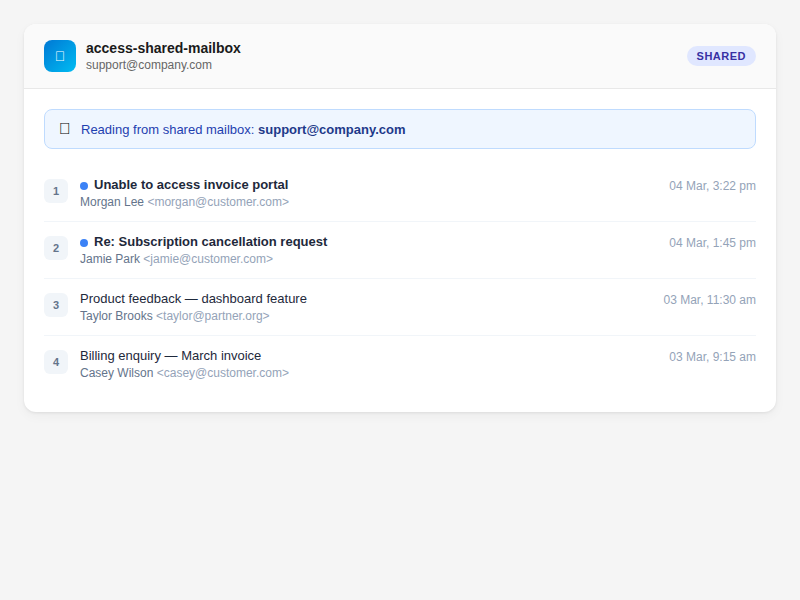
Required Permissions
Your Azure app registration needs the Mail.Read.Shared permission:
- Go to Azure Portal → App registrations → your Outlook Assistant app
- Under API permissions, add Microsoft Graph delegated permission:
Mail.Read.Shared - Grant admin consent if required by your organisation
Your Microsoft account must also have been granted access to the shared mailbox by your Exchange administrator.
Parameter Reference
| Parameter | What it does | Default |
|---|---|---|
sharedMailbox | Email address of the shared mailbox (required) | — |
folder | Folder to read from | inbox |
count | Number of emails to return (max 50) | 25 |
outputVerbosity | minimal, standard, or full | standard |
Troubleshooting
| Problem | Cause | Fix |
|---|---|---|
| ”Access denied” or 403 error | Missing Mail.Read.Shared permission | Add the permission in Azure Portal |
| ”Mailbox not found” | Incorrect email address or no access granted | Verify the address and check with your Exchange admin |
| Empty results | Mailbox is empty or folder doesn’t exist | Try folder: "inbox" to confirm access |
Tips
- This tool is read-only — you can’t send from a shared mailbox through Outlook Assistant
- Use
outputVerbosity: "minimal"for quick checks on high-volume shared inboxes - Auto-approved by MCP clients that support annotations (read-only tool)
Related
- Find Emails — search your personal mailbox
- Verify Your Connection — check permissions
- Azure Setup Guide — managing app permissions
- Tools Reference — access-shared-mailbox
Was this helpful?
Thanks for your feedback!
Related Articles
ReferenceTools Reference - Outlook AssistantQuick reference for all 20 consolidated MCP tools across 9 modules. Each tool includes MCP safety annotations (readOnlyHint, destructiveHint, idempotentHint).GuidesHow to Monitor Your Inbox with Delta SyncUse delta sync for incremental inbox monitoring — track new, modified, and deleted emails with deltaToken.GuidesAzure Setup GuideThis guide walks through the full Azure setup from scratch, including creating an account if you don't have one. The whole process takes about 10 minutes.

