Browse project files
Browse your project's directory tree and preview files without leaving Telegram — check a config, review a file…

Browse your project’s directory tree and preview files without leaving Telegram — check a config, review a file, or orient yourself in the repo from your phone or any device.
Start browsing
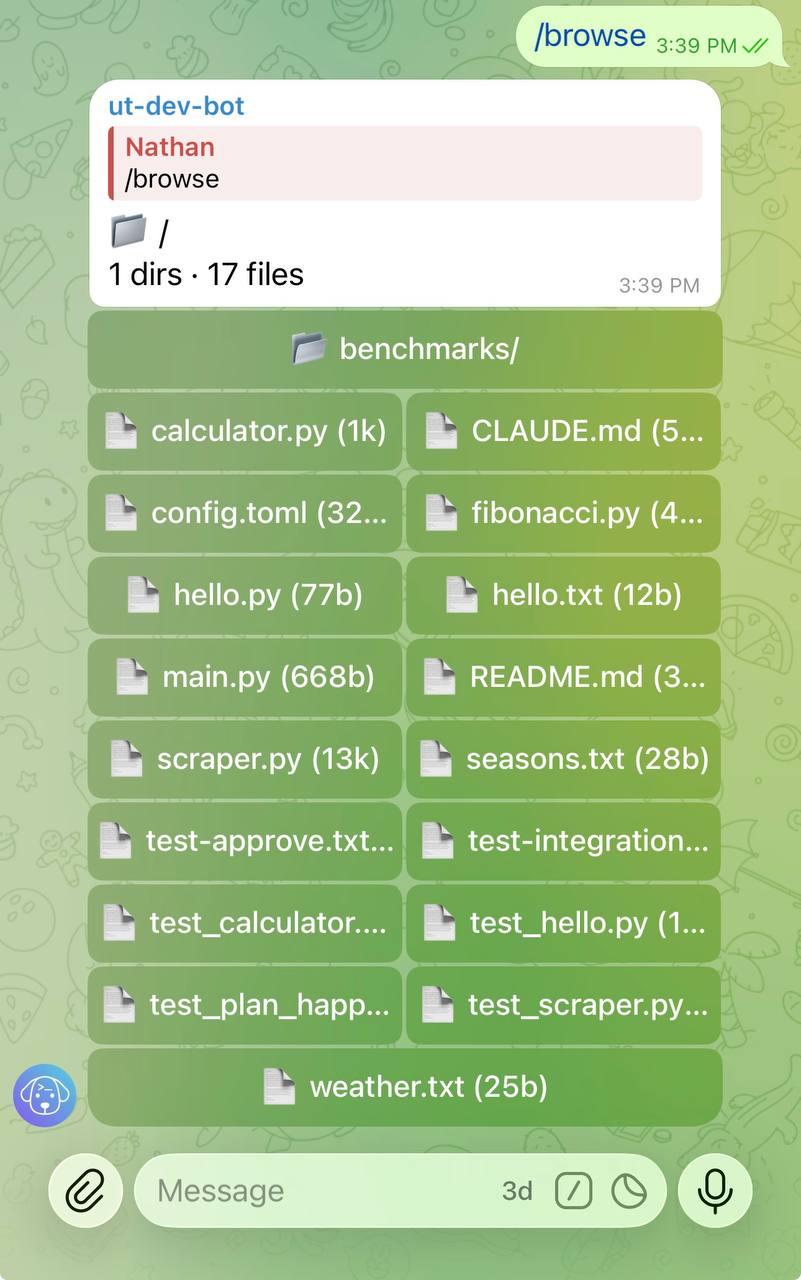
Send /browse to open the project root:
/browseUntether replies with a directory listing rendered as inline keyboard buttons. Each button is a file or directory you can tap.
/browse needs a project root: the chat must be bound to a project (chat_id under [projects.<alias>]), or default_project must be set in untether.toml. Otherwise it refuses rather than guessing a directory (#389):
Untether
No project directory for this chat. Bind the chat to a project (chat_id under [projects.<alias>]) or set default_project in untether.toml.
Untether
📁 /
3 dirs · 4 files
📂 docs/·📂 src/
📂 tests/·📄 .gitignore (1k)
📄 CHANGELOG.md (12k)·📄 README.md (4k)
📄 pyproject.toml (2k)
Navigate directories
Tap a directory button to drill into it. The listing updates in place, showing the contents of the selected directory.
Preview a file
Tap a file button to see a syntax-highlighted preview. Previews show up to 25 lines and 2,000 characters of the file content, which is enough to check config files, review small modules, or confirm file structure.
Untether
📄 src/main.py
import sys
from pathlib import Path

from untether.app import create_app

def main():
    app = create_app()
    app.run()
Go back
Below the project root, each listing starts with a 📂 .. button that moves up one level. A file preview has a 📂 Back button that returns to its directory.
Browse a specific path
Pass a path argument to jump directly to a directory or file:
/browse src/
/browse package.json
If the path is a directory, Untether shows its listing. If it’s a file, you get the preview directly.
Limits and filtering
The file browser applies sensible defaults to keep listings readable:
| Limit | Value |
|---|---|
| Max entries per listing | 20 |
Hidden paths (any component starting with .) | Denied in listings, previews and direct paths, except .github and .gitignore |
[transports.telegram.files] deny_globs | Applied to listings, previews and direct paths (e.g. .env, key.pem, .ssh/…) |
| Excluded directories (listing only) | __pycache__, node_modules, .git, .venv, venv |
If a directory has more than 20 entries, only the first 20 are shown. Use /browse path/to/subdir to navigate deeper.
Refused paths get a short reply instead of a preview: Path denied by rule: <glob>, Hidden paths can't be browsed., Path outside project. or Path could not be resolved (symlink loop?). A denied path gets the same reply whether or not it exists.
Path traversal protection
The browser cannot navigate outside the project root. Paths are checked after symlinks are resolved, so neither .. nor an in-root symlink pointing elsewhere (e.g. home → ~) can escape the project directory; such links are left out of listings. Button ids are scoped to the chat that created them, so a button id from another chat reads as expired (#389).
Related
- Projects — register repos and set project roots
- Commands & directives — full command reference