Cost budgets
Running agents remotely means they can rack up costs while you're not watching. Untether tracks API costs per run and per day, with configurable budget limit...

Running agents remotely means they can rack up costs while you’re not watching. Untether tracks API costs per run and per day, with configurable budget limits, warning thresholds, and auto-cancel to keep spending under control — even when you’re away from the screen.
Configure budgets
=== “untether config”
```sh
untether config set cost_budget.enabled true
untether config set cost_budget.max_cost_per_run 2.00
untether config set cost_budget.max_cost_per_day 10.00
```
=== “toml”
```toml
[cost_budget]
enabled = true
max_cost_per_run = 2.00
max_cost_per_day = 10.00
```| Setting | Default | Description |
|---|---|---|
enabled | false | Enable cost tracking and budget enforcement |
max_cost_per_run | (none) | Maximum cost for a single run (USD) |
max_cost_per_day | (none) | Maximum total cost per day (USD) |
warn_at_pct | 70 | Show a warning when this percentage of the budget is reached |
auto_cancel | false | Automatically cancel the run when a budget is exceeded |
Per-chat overrides
You can toggle budgets on or off per chat without editing the config file. Open /config → Cost & Usage and use the toggle buttons:
- Budget enabled — turn budget tracking on or off for this chat
- Budget auto-cancel — enable or disable automatic run cancellation when a budget is exceeded
These override the global [cost_budget] settings for the specific chat. Clear the override to revert to the global setting. See Inline settings for the full /config menu reference.
Loop mode and budgets If you turn on Loop mode in
/config → 🔁 Loop mode, autonomous loop fires count toward the same daily and per-run budget caps as manual runs. There is no separate per-loop budget — the existingmax_cost_per_daycap auto-cancels any loop iteration that would exceed it. Set a budget before turning on Loop mode to bound your exposure. See Schedule tasks → Loop mode for the full picture. (#289)
How it works
After each run completes, Untether checks the reported cost against your budgets:
- Per-run check: if the run cost exceeds
max_cost_per_run, you get an alert - Daily check: if the cumulative daily cost exceeds
max_cost_per_day, you get an alert - Warning threshold: at
warn_at_pct(default 70%) of either budget, you get an early warning
Token-only engines Engines that don’t report USD costs (Codex, Pi, and OpenCode on its free tier) show token counts in the footer instead (e.g.
💰 26.0k in / 71 out). Gemini CLI and AMP surfacetotal_cost_usdwhen their CLI reports one; on the free tier they render tokens only. Budget alerts apply only to the USD-reporting path.
Alert levels
| Alert | Icon | Meaning |
|---|---|---|
| Warning | ??? | Cost is approaching the budget threshold |
| Exceeded | ???? | Cost has exceeded the budget |
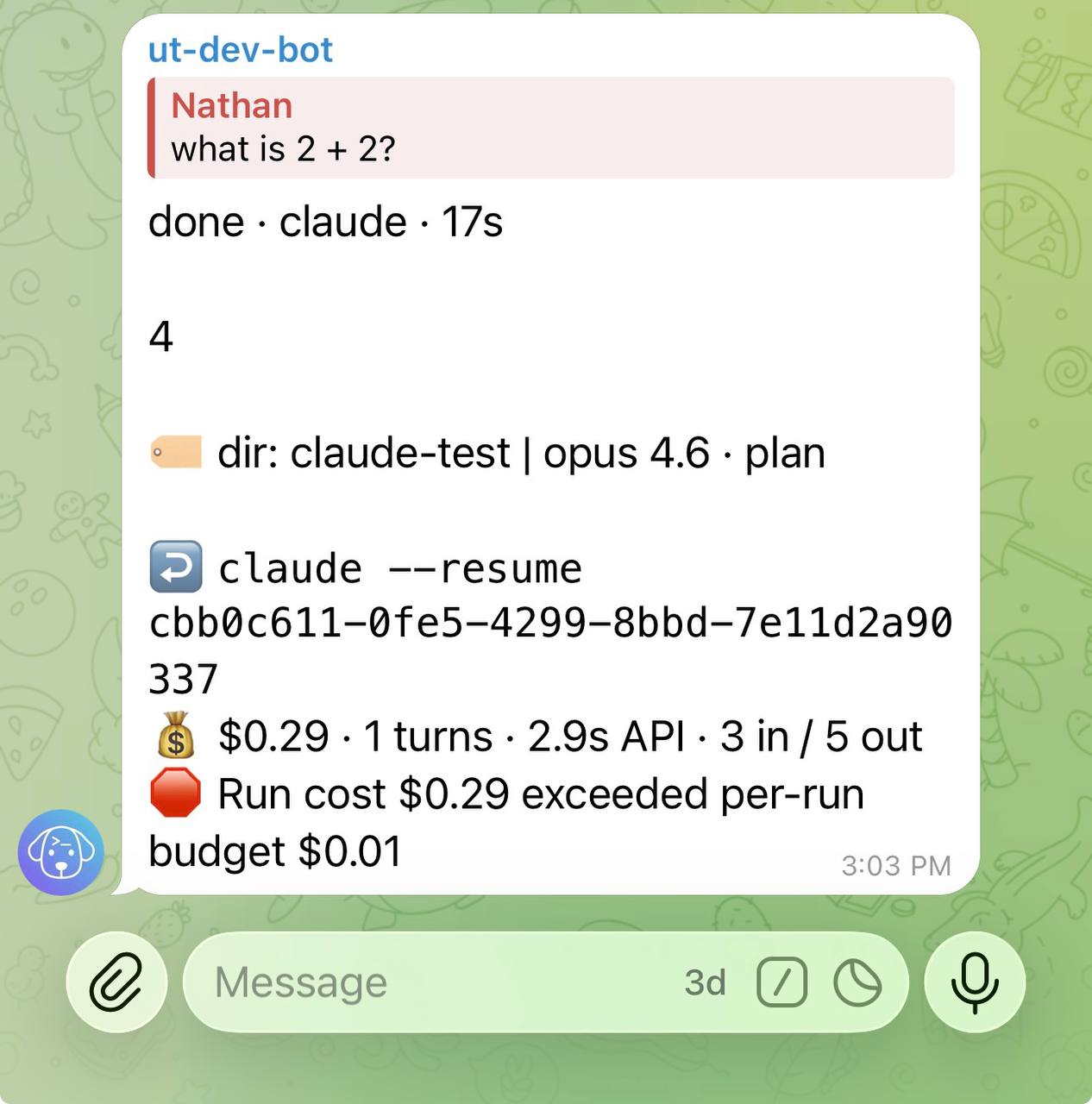
When auto_cancel = true and a budget is exceeded, Untether cancels the run automatically. Otherwise, you see the alert but the run continues.
Untether ⚠️ cost warning — run cost $1.45 is 73% of $2.00 per-run budget
Daily reset
The daily cost counter resets at midnight (local time, based on the server clock). Each new day starts from zero.
Check current usage
Use the /usage command in Telegram to see your Claude Code subscription usage:
/usageThis shows:
- 5h window: usage percentage and time until reset
- Weekly: 7-day usage percentage and time until reset
- Per-model breakdown: Sonnet and Opus usage (if applicable)
- Extra credits: any overage credits used
The /usage command reads your Claude Code OAuth credentials to fetch live data from the Anthropic API. If you see “No Claude credentials found”, run claude login in your terminal.
Untether Claude Code usage
**5h window**: 42% used (2h 6m left)
**Weekly**: 28% used (5d 2h left)

sonnet: 38% · opus: 4%
extra credits: $0.00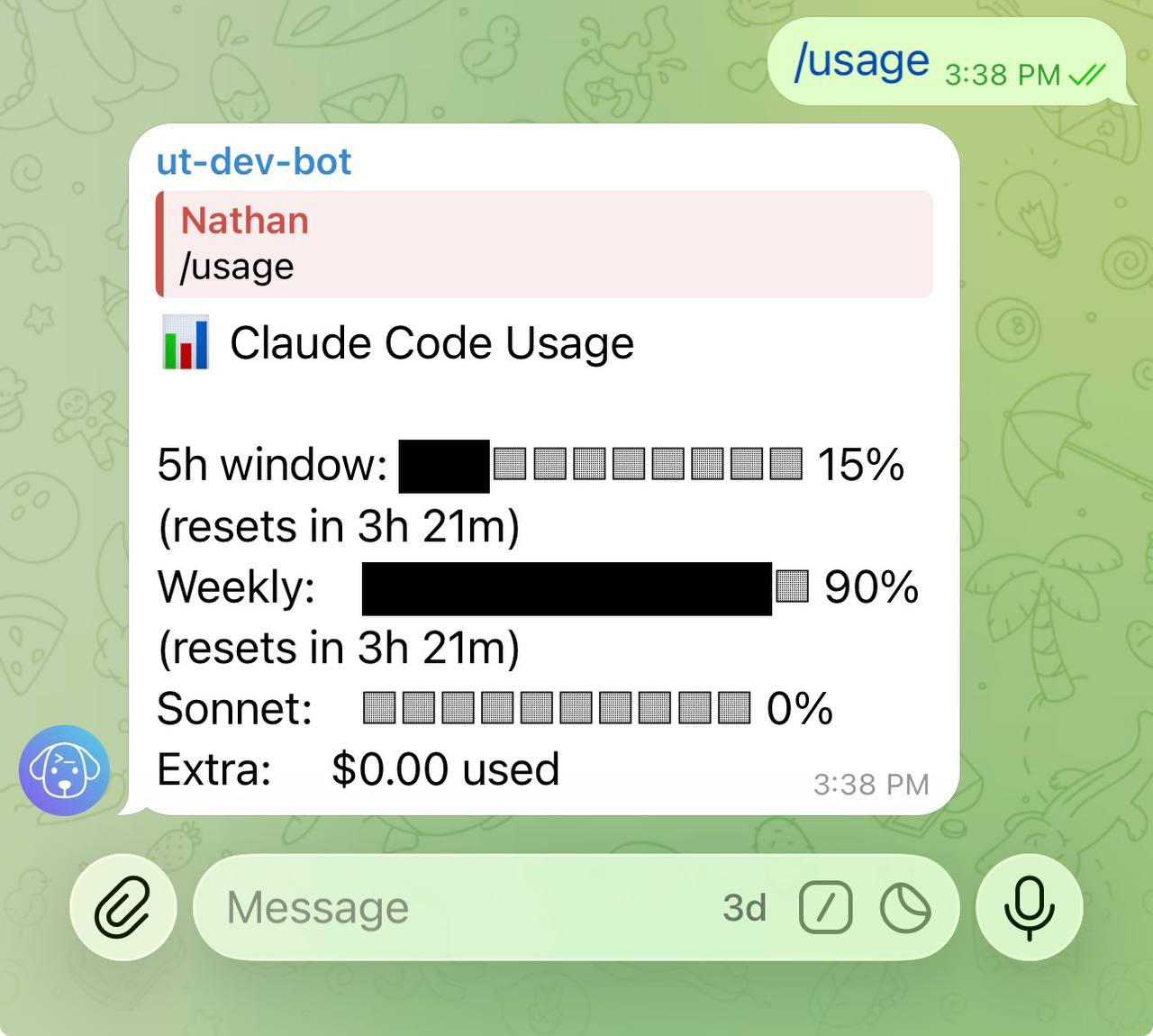
Subscription usage footer
Untether can show subscription usage in the footer of completed messages. This is configured in the [footer] section:
=== “toml”
```toml
[footer]
show_usage = true
```
When enabled, completed messages show a line like:
5h: 45% (2h 15m) | 7d: 30% (4d 3h)This tells you how much of your 5-hour and 7-day rate limits you’ve used, and when they reset.
Historical statistics
For historical run data beyond the current session, use the /stats command:
/statsThis shows per-engine session statistics (runs, actions, duration) across today, this week, and all time. Pass an engine name to filter (e.g. /stats claude). Data is persisted in the config directory and auto-pruned after 90 days.
Related
- Configuration — full config reference for budget settings
- Commands & directives —
/statsand/usagecommand reference - Troubleshooting — credential issues with
/usage