Switch engines
Different tasks suit different agents. Switch engines on the fly — use Claude Code for deep refactors, Codex for quick fixes…

Different tasks suit different agents. Switch engines on the fly — use Claude Code for deep refactors, Codex for quick fixes — without restarting or reconfiguring anything.
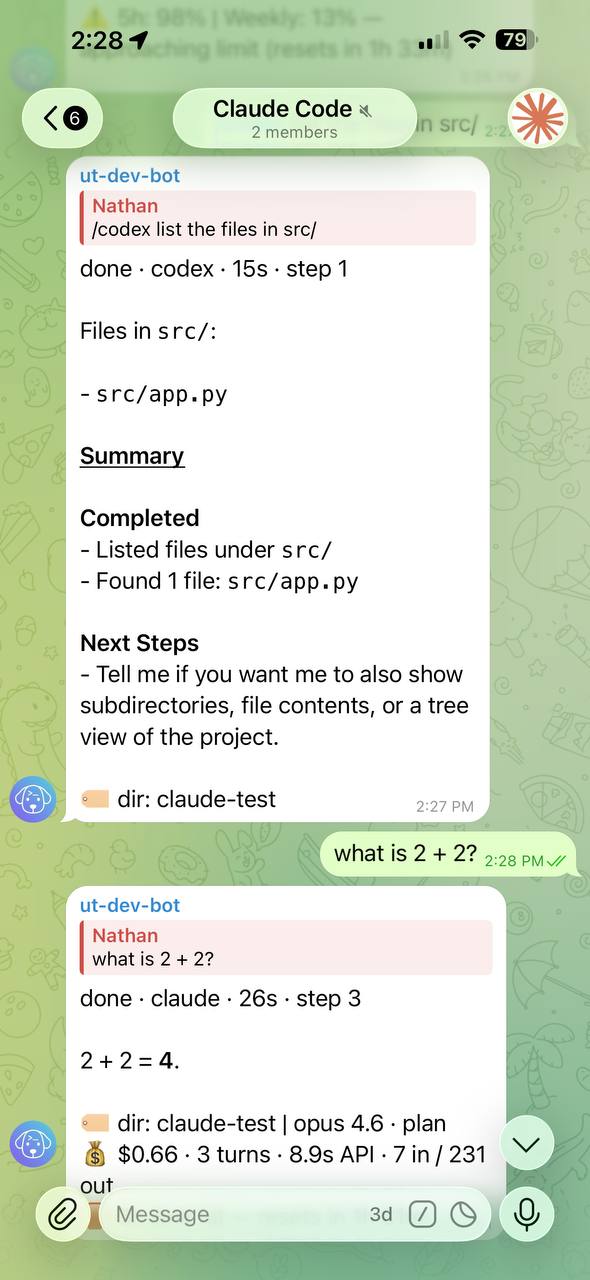
Use an engine for one message
Prefix the first non-empty line with an engine directive:
/codex hard reset the timeline
/claude shrink and store artifacts forever
/opencode hide their paper until they reply
/pi render a diorama of this timeline
Directives are only parsed at the start of the first non-empty line.
Untether
working · codex · 5s · step 1
✓ Read
src/timeline.py🏷 codex
Set a default engine for the current scope
Use /agent:
/agent
/agent set claude
/agent clear- Inside a forum topic,
/agent setaffects that topic. - In normal chats, it affects the whole chat.
- In group chats, only admins can change defaults.
Selection precedence (highest to lowest): resume token → /<engine-id> directive → topic default → chat default → project default → global default.
Engine installation
Untether shells out to engine CLIs. Install them and make sure they’re on your PATH
(codex, claude, opencode, pi). Authentication is handled by each CLI. For OpenCode, install the 1.x CLI (npm install -g opencode-ai@1): OpenCode 2.x (@opencode/cli) isn’t supported yet, and Untether refuses a run on it before anything starts (#970).
Deprecated engines
The
geminiandampdirectives still work, but both engines are deprecated and no longer supported: they are still included, but get no fixes, are excluded from testing, and may be removed in a future release. Gemini CLI no longer authenticates individual or free Google accounts (upstream end-of-life, 18 June 2026, announcement — use Antigravity CLI instead; Untether support for it is planned for v0.36.1, #558), and Untether’s Amp integration is unmaintained./config→ Engine & model marks both with ⚠️; they can still be selected. See deprecated engines in the README.
Feature differences
Not all features are available on every engine. See the engine compatibility matrix for a full breakdown of which features (interactive permissions, plan mode, reasoning levels, etc.) each engine supports.
Related
- Commands & directives
- Config reference
- Multi-engine workflows — tutorial on using multiple engines