

Chat sessions
Chat sessions store one resume token per engine per chat (per sender in group chats), so new messages can auto-resume without replying.

Chat sessions store one resume token per engine per chat (per sender in group chats), so new messages can auto-resume without replying. Reply-to-continue still works and updates the stored session for that engine.
Assistant and workspace workflows
If you chose assistant or workspace during onboarding, chat sessions are already enabled. This guide covers how they work and how to customise them.
Enable chat sessions
If you chose handoff during onboarding and want to switch to chat mode:
untether config
untether config set transports.telegram.session_mode "chat"toml
[transports.telegram]
session_mode = "chat" # stateless | chat
With session_mode = "chat", new messages in the chat continue the current thread automatically.
You
explain the auth flow
Untether
done · claude · 15s · step 4
The auth flow uses JWT tokens…
You
now add rate limiting to it
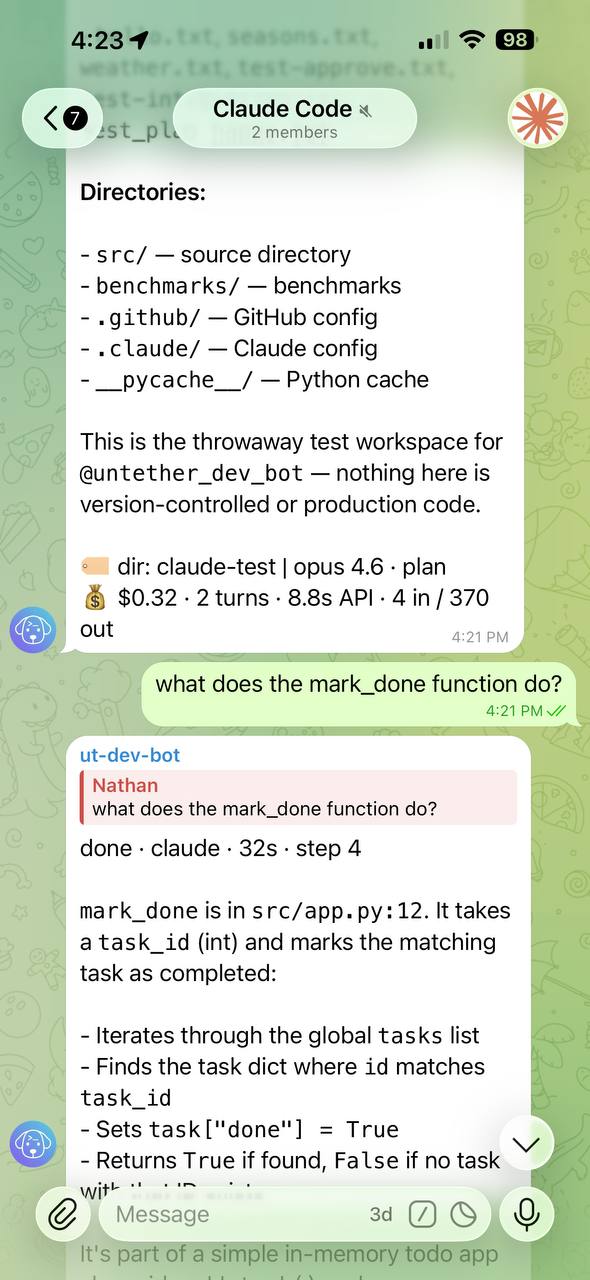
The second message automatically continues the same session — no reply needed.
Reset a session
Use /new to cancel any running task and clear the stored session for the current scope:
- In a private chat, it resets the chat.
- In a group, it resets your session in that chat.
- In a forum topic, it resets the topic session.
See /new in Commands & directives.
Resume lines and branching
Chat sessions do not remove reply-to-continue. If resume lines are visible, you can reply to any older message to branch the conversation.
If you prefer a cleaner chat, hide resume lines:
untether config
untether config set transports.telegram.show_resume_line falsetoml
[transports.telegram]
show_resume_line = false
Replying to a message or a quote
When you reply to a message, the agent sees what you replied to, so “what does this error mean?” or “do the second step” has something to point at (#904, community PR #736). Untether adds the replied message’s text (or a media caption) after your prompt. If you select part of a message and use Telegram’s Quote option, only the selected quote is passed.
This works for every engine and on every kind of reply: one that starts a new run, one that resumes a session through its resume line, a follow-up into a Claude session that is still open, and a steer. Before v0.36.0 a reply only told Untether which session to continue; the agent never saw the message you replied to.
The reference is added in a labelled <telegram_reply_context> block that tells the agent it is reference data, not instructions, and Untether’s own resume lines are removed from it. <, > and & in the replied text are HTML-escaped (<, >, &) so it can’t close the block early. It is capped at 4,000 characters; anything longer is cut off with a [… reply context truncated by Untether …] note. In a forum topic, a plain message (which Telegram sends as a reply to the topic’s first message) carries no reply context.
How it behaves in groups
In group chats, Untether stores a session per sender, so different people can work independently in the same chat.
Topics in a private chat
If you use Telegram’s topics in a private chat with the bot, each topic keeps its own session, separate from the main thread (#734). Before v0.36.0 every follow-up in a private-chat topic quietly started a fresh session.
While Claude is still working
With Claude Code, a session usually stays open after its answer while background tasks run (see Troubleshooting → Messages arrive after the run finished). A message you send then goes straight into that same session once the current turn ends, rather than waiting for the background work. To have a message read during the current turn instead, use steer. An open session is closed after 4 hours in total, however busy it is; if background tasks are still running then, the next message starts a fresh session. Raise [watchdog] live_session_max_s for longer runs (see Troubleshooting → Session closed after 4 hours). /new or /cancel closes a session that is only idling after its answer; /cancel replies nothing running in this chat — closed the idle session. (or says what pending /at runs and loops it dropped) (#902).
Sending several messages quickly
Messages you send within about a second of each other (forward_coalesce_s, default 1 s) are merged, in order, into one prompt, so a thought split across a few quick messages runs once (#794). Messages that can’t share a run — a reply to a different message, a voice note next to text, a directive, or a context change — run separately.
Commands act as a barrier. /cancel, /new and /continue drop anything still waiting in that window and say so (🗑️ Dropped 2 messages sent just before /new — send them again if you still need them.), so a message meant for the old session never lands in the new one. Any other command lets the waiting messages run first (#807).
How session persistence works
When session_mode = "chat", Untether stores resume tokens in a JSON state file next to your config:
- Assistant mode:
telegram_chat_sessions_state.json— one token per engine per chat - Workspace mode:
telegram_topics_state.json— one token per engine per forum topic
When you send a message, Untether checks the state file for a stored resume token matching the current engine and scope (chat or topic). If found, the engine continues that session. If not, a new session starts.
The /new command cancels any running task and clears stored tokens for the current scope. Switching to a different engine also starts a fresh session (each engine has its own token).
Handoff mode has no state file
In handoff mode (
session_mode = "stateless"), no chat sessions are stored. Each message starts fresh. Continue a session by replying to its bot message or using/continue. Forum topics are the exception: with topics enabled, each topic keeps its own session intelegram_topics_state.jsonwhatever the session mode.
Working directory changes
When session_mode = "chat" is enabled, Untether clears stored chat sessions on startup if the current working directory differs from the one recorded in telegram_chat_sessions_state.json. This avoids resuming directory-bound sessions from a different project.
Related
- Conversation modes
- Cross-environment resume — pick up CLI sessions from Telegram with
/continue - Forum topics
- Commands & directives


